From Clicks to Calls: How Plumbing Sites Turn Traffic into Emergency Leads
I’ve reviewed forty-three plumbing websites in the past eleven months—some for clients switching vendors, others for owners who called after their “redesign” didn’t change a thing. The pattern is depressingly consistent: beautiful hero images, buried phone numbers, three-second mobile load times that feel like thirty, and contact forms that ask for your life story before you can request a quote.
Then the owner tells me their Google ads are “working fine” but the site “just doesn’t convert.”
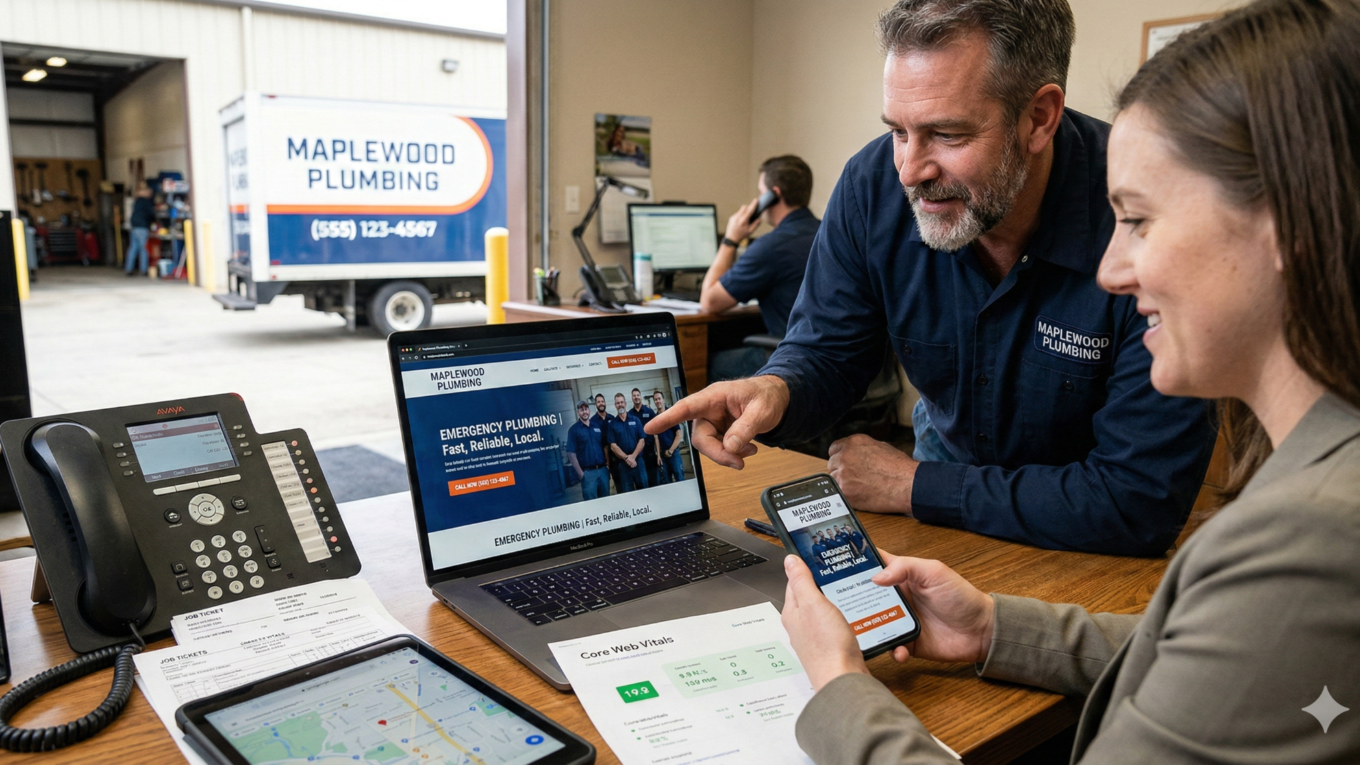
Here’s the uncomfortable truth I learned running dispatch for a six-truck plumbing operation: your website isn’t a brochure. It’s the first dispatcher most customers meet, and if it can’t answer “Can I trust you?” and “How do I book right now?” in under eight seconds on a phone screen, you’re bleeding calls to competitors who figured that out.
The Real Problem Isn’t Your Logo—It’s Your Conversion Path
When I audit a plumbing site, I don’t start with the color palette.
I open it on my phone, pretend my water heater just flooded the garage, and try to call someone. You’d be shocked how many sites make me scroll past testimonials, service descriptions, and a newsletter signup before I find a number—and when I do, it’s not clickable.
What Conversion-Focused Design Actually Means
Conversion rate optimization is the discipline of removing every obstacle between “I need help” and “I just booked.” For plumbing sites, that means obsessing over three actions:
- Click-to-call functionality
- Form submissions that don’t require a dissertation
- Online booking (if you’re set up for it)
Everything else is decoration.
When I moved one client’s phone number from the footer to a sticky header bar and made it a tap-to-call button, their mobile conversion rate jumped from 2.1% to 4.7% in thirty days. That’s not magic—it’s user experience design that respects how people actually behave when their basement is flooding at 9 PM.
Here’s what conversion-focused design looks like in practice:
Your homepage loads in under two seconds. The phone number sits in the top-right corner in a color that contrasts with your header. Your primary call-to-action says “Call Now for Emergency Service” instead of “Learn More.” If you offer online booking, that button sits right next to the phone number with equal visual weight.
No one should have to hunt.
Your homepage needs to build trust fast and offer clear next steps. Your service pages need to answer “Do you handle my specific problem?” and “What’s this going to cost?” Your contact page should be redundant—phone, form, service area map, hours—because different people have different thresholds for taking action.
The Designer Vetting Question That Matters
When you’re evaluating a designer, ask them to walk you through the conversion path for three scenarios: emergency call at midnight, price-shopping homeowner on a laptop, and property manager comparing vendors on a tablet.
If they start talking about “the user journey” without showing you exactly where the call button lives on mobile, you’re about to pay for a site that looks great in screenshots but doesn’t book jobs.
Speed and Mobile Performance Aren’t Optional Anymore
If your site takes more than three seconds to load on a phone, Google is actively hiding you from local searches. That’s not an exaggeration—it’s how Core Web Vitals work in 2024, and it’s the single biggest technical factor killing plumbing sites that “should” rank well.
Understanding Core Web Vitals (Without the Technical Jargon)
Core Web Vitals measure three things:
| Metric | What It Measures | Target Score |
|---|---|---|
| Largest Contentful Paint (LCP) | How fast your largest content loads | Under 2.5 seconds |
| First Input Delay (FID) | How quickly the page responds when someone taps a button | Under 100 milliseconds |
| Cumulative Layout Shift (CLS) | Whether elements jump around while loading | Under 0.1 |
Google uses these scores to decide whether your site deserves to show up when someone searches “emergency plumber near me” on their phone at 11 PM.
If your designer can’t show you a PageSpeed Insights report with those numbers in the green, you’re paying for a site that Google considers broken.
What kills mobile speed in plumbing sites specifically:
Uncompressed photos, render-blocking scripts from chat widgets and tracking pixels, and oversized custom fonts. The fix isn’t complicated—compress images to WebP format, lazy-load anything below the fold, and use system fonts or preload custom ones—but most template sites and cheap designers skip these steps.
The Business Impact Is Direct
One of my clients was ranking fourth for “water heater repair [city name]” but getting a fraction of the calls their position should generate. Their mobile speed score was 31.
We stripped out an unused booking plugin, compressed their gallery images, and moved their chat widget to load after the page rendered. Speed score hit 78, and their call volume from organic search doubled in six weeks. Same ranking, same ad spend—just a site that didn’t punish people for clicking.
Your site needs to reflow content so someone can read service descriptions without pinching and zooming, tap buttons without accidentally hitting three things at once, and fill out a form without the keyboard covering the submit button.
When you’re evaluating a new site or redesign, open it on your phone and try to complete a task with one thumb while you’re standing in line at the hardware store. If anything feels awkward, your customers are abandoning before they call.
Local SEO and Google Business Profile Integration Are Your Competitive Moat
The plumbing market is intensely local, which means your website’s job is to prove to Google that you’re the right answer for searches happening within your service radius. That proof comes from schema markup, consistent NAP (name, address, phone) data, service-area pages, and tight integration with your Google Business Profile.
Schema Markup: The Invisible Competitive Advantage
Schema markup is structured data that tells search engines exactly what your business does and where you do it. For plumbers, that means LocalBusiness schema with your service types, operating hours, and areas covered. When implemented correctly, it helps you show up in the map pack and enables rich snippets that display your ratings, hours, and phone number directly in search results.
Sites with proper schema markup get 30-40% more map-pack impressions than identical competitors without it. That’s the difference between showing up when someone searches “plumber open now” at 7 AM on Sunday and being invisible.
The Google Business Profile Integration That Actually Moves Needles
Your Google Business Profile is the other half of this equation. When someone finds you in the map pack, they’re looking at your GBP listing—photos of your trucks and completed jobs, your review count and average rating, your response time to messages, and whether your hours match what’s on your site.
If those signals don’t align with your website data, Google downgrades both.
Here’s the integration that matters:
Your website should embed your GBP reviews on your homepage and service pages. Your NAP data should match character-for-character across both platforms. Your service-area pages should mirror the cities and neighborhoods you’ve listed in your GBP. Inconsistency signals to Google that your business information isn’t reliable.
Service-Area Pages: The Tactical Piece Most Owners Miss
If you cover eight towns, you need eight dedicated pages—not one page that lists all eight in a paragraph.
Each page should include the town name in the URL, headline, and at least three mentions in the body copy, plus specific landmarks or neighborhoods you serve in that area. This isn’t keyword stuffing—it’s giving Google the geographic signals it needs to show you for “[service] in [town]” searches.
I worked with a client who was getting crushed by a competitor in the next county over. The competitor had individual pages for every town in a 20-mile radius, each with schema markup and embedded GBP reviews. My client had one “Service Areas” page with a bulleted list.
We built out the pages, added schema, and synced everything with their GBP. Within ninety days, they reclaimed the map pack for six of their core towns.
When you’re talking to a web designer, ask them how they handle local SEO and GBP integration. If they say “We’ll submit your site to Google,” that’s not enough. You need schema markup, service-area pages with unique content, and a plan for keeping your site and GBP data synchronized.
Visual Design That Builds Trust Without Slowing You Down

Visual design for plumbing sites has one job: establish credibility fast enough that someone picks up the phone instead of hitting the back button.
What the Best Sites Have in Common
The best plumbing websites in 2024 share traits that aren’t about following trends—they’re about understanding what homeowners need to see before they’ll trust you with a $3,000 repair.
Real photos of your team and trucks matter more than stock images. Your licensing and insurance badges need to be visible on the homepage. And your guarantee or warranty—if you offer one—should be stated clearly, not hidden in a PDF.
The color palette and typography trends don’t matter as much as clarity and contrast. Your call-to-action buttons need to stand out, your phone number needs to be readable at a glance, and your service descriptions need enough white space that someone can skim them on a phone.
One Trend That Actually Matters
Video backgrounds and hero sections are falling out of favor because they murder mobile load times. If you want video, put it below the fold and make sure it’s hosted on YouTube or Vimeo, not uploaded directly to your server.
Trust Signals: The Visual Elements That Move the Needle
Trust signals are the visual elements that actually drive conversions:
- Google reviews embedded on your homepage (with star ratings visible)
- Photos of your team with names and roles
- Industry certifications or manufacturer partnerships
- Years in business
- Warranty or response time guarantees
The biggest visual mistake I see is treating the homepage like a portfolio. Homeowners don’t care about your awards or your company history until they’re convinced you can solve their problem.
Lead with the problem (“Water Heater Leaking? We’re On Our Way”), show them you’re local and legitimate, and give them an easy way to take action.
Comparing DIY Platforms, Template Sites, and Custom Builds
You have three realistic options when it comes to building or rebuilding your plumbing site: a DIY platform like Wix or Squarespace, a trades-specific template from a company like ServiceTitan or Housecall Pro, or a custom build from a designer or agency.
| Option | Pros | Cons | Best For |
|---|---|---|---|
| DIY Platforms (Wix, Squarespace) | Cheap, full control, no waiting on developers | Time-consuming, rarely optimized for speed/SEO, limited schema support | Owners with technical skills and time to invest |
| Template Sites (ServiceTitan, Housecall Pro) | Built for plumbing businesses, integrated with dispatch software | Locked to software ecosystem, looks identical to competitors, limited customization | Businesses already using the parent software |
| Custom Builds | Optimized for speed/conversion/SEO, unique design, full flexibility | Expensive ($2,500-$15,000+), requires careful designer vetting | Businesses ready to invest in long-term competitive advantage |
The Questions That Reveal Whether a Designer Knows Their Stuff
When you’re comparing options, ask these questions:
- Can I see a PageSpeed Insights report for a site you built?
- How do you handle schema markup and local SEO?
- What’s your process for integrating with my Google Business Profile?
- How easy is it for me to update content or add a new service page?
- What happens if I want to switch platforms or designers in two years?
The answer that should scare you is “We handle all of that for you” without specifics. You need to own your domain, your hosting, and your content.
Your Pre-Launch and Ongoing Maintenance Checklist
A new site isn’t done when it goes live—it’s done when you’ve verified that it actually works the way it’s supposed to.
Before You Approve Final Payment, Test These Things Yourself:
Mobile functionality:
- Call the phone number from your mobile phone to make sure it dials correctly
- Fill out the contact form and confirm you receive the email
- Check that your address links to Google Maps
- Verify that your site loads in under three seconds on your phone (use PageSpeed Insights—it’s free)
Cross-device testing:
- Open your site on a tablet and a laptop, not just your phone
Search visibility:
- Check your Google Business Profile to make sure your site URL is correct, your NAP data matches, and your hours are current
- Search for your business name plus your city and make sure your site shows up on page one
Ongoing Maintenance Isn’t Optional
Google’s algorithm updates monthly. Core Web Vitals thresholds tighten. Your competitors are constantly improving their sites.
Plan to review quarterly:
- PageSpeed score
- Broken links
- Schema markup compliance with current Google requirements
Update immediately when you:
- Add services or expand your service area
- Change your hours
- Get significant new reviews
The maintenance task that matters most: keeping your Google Business Profile and website in sync. Consistency is how Google decides whether to trust your business information.
What to Do If You’re Already Stuck with a Site That Doesn’t Work
If you’re reading this because you already paid for a site that isn’t generating calls, you’re not alone—it’s the most common situation I walk into. The good news is that you don’t always need to start over.
Start with the Diagnostic Tests
Run your site through PageSpeed Insights and check your Google Business Profile for consistency. If your speed score is below 50 on mobile, you have a technical problem that’s costing you rankings. If your NAP data doesn’t match between your site and GBP, you’re confusing Google.
Track your conversion rate for thirty days. Use Google Analytics to see how many people visit your site, then divide your call and form submissions by that number. If you’re below 2% on mobile, you have a conversion problem.
Look at where people are dropping off. If they’re leaving from your homepage without clicking deeper, your value proposition isn’t clear. If they’re visiting service pages but not converting, your calls-to-action are weak or hidden.
The Fix Depends on the Diagnosis
Speed issues usually mean compressing images, removing unnecessary plugins, and optimizing code. Conversion issues might mean repositioning your phone number, adding click-to-call buttons, or rewriting your CTAs to be more direct. Local SEO issues require schema markup, service-area pages, and GBP integration.
A full redesign is only necessary if your site is built on an outdated platform, has fundamental structural problems, or is so slow that fixing it costs more than starting fresh.
When you’re deciding whether to fix or rebuild, get a second opinion from someone who doesn’t have a financial incentive to sell you a new site.
The industry continues to grow, with nearly a million plumbing and HVAC establishments competing for the same local searches. Your website is either helping you stand out or making you invisible.
The difference isn’t how much you spend—it’s whether you spend it on the things that actually drive calls: speed, clarity, local visibility, and trust.
Everything else is optional.