
What Clients Actually Want to See Before They Hire a Landscaper
Three weeks ago I watched a homeowner scroll past our Instagram, land on our competitor’s site, and book a consultation—while we were standing in her driveway finishing a $12,000 patio install she’d hired us for six months earlier.
She loved our work. Told her neighbors.
But when her friend asked for our info, she texted a photo of our truck instead of a link, because—her words—”I couldn’t remember if you guys even had a website.”
That moment cost us a referral. It also forced me to admit what I’d been avoiding: the template site we’d paid $1,800 for looked fine in the pitch deck, but it wasn’t doing the one job that mattered—making it easy for someone who’d never met us to say yes.
I’m not a developer. I’m the guy who spent fifteen years writing estimates in the truck between jobs, coordinating crews through weather delays, and learning the hard way that a beautiful proposal means nothing if the client ghosts you because they “wanted to see more examples first.” Now I’m three months into rebuilding our site with a small agency that actually listens, and I’m seeing the same mistakes in every YouTube comment section where landscapers ask if websites are worth it.
The answer is yes—but only if you build it like you’d explain your services to someone standing in their yard, not like you’re trying to impress a design awards committee.
The Two Lies That Cost You Calls
Lie #1: “A modern website automatically brings leads.”
I believed this in 2019. Paid for a template with a slider, stock photos of lawns we’d never touched, and a contact form buried under three menu clicks. It looked slick. It brought zero quote requests in four months, because nobody could figure out what we actually did or whether we worked in their zip code.
Lie #2: “You need to rank on Google before the site matters.”
This one shows up in every web designer pitch, usually right before they upsell you on six months of SEO retainers. Here’s what actually happens—someone sees your truck, searches your company name, lands on a site with no project photos or pricing context, and closes the tab to call the competitor whose gallery loaded in two seconds and showed exactly the kind of patio they want.
Industry data confirms that 61% of landscape firms win new projects through repeat clients and referrals, which means your site’s first job isn’t fighting for search rankings—it’s converting the warm traffic you’re already earning through good work. If your site can’t close that deal, you’re bleeding opportunities every week.
Trust First, Flash Second: The Framework That Actually Converts
When I started mapping what needed to change, I stopped thinking like someone trying to “build a website” and started thinking like the homeowners who’d hired us over the years.
What made them choose us over the three other quotes they’d gotten?
It wasn’t our logo. It was the fact that we showed up with photos of a similar project two streets over, walked them through exactly how we’d handle drainage on their slope, and texted them a ballpark range before we left so they knew we weren’t going to ghost them with a $40,000 surprise three days later.
Your website has to do that same work—before you ever show up.
Five Trust-Building Blocks (In Order of Impact)
Block 1: Services Broken Down by What You Actually Do
Not “landscaping services” as a vague header. I mean a dedicated page for each major offering—hardscaping, lawn care programs, landscape design, seasonal cleanups—with 3–4 sentences explaining what’s included, what it solves, and what it costs to get started.
If you do retaining walls, say whether you handle permits. If you offer design consultations, say if the fee applies toward the build.
The goal is to answer the question every homeowner has: Okay, but do they do what I need, and can I afford it?
Block 2: A Project Gallery That Shows Range and Location
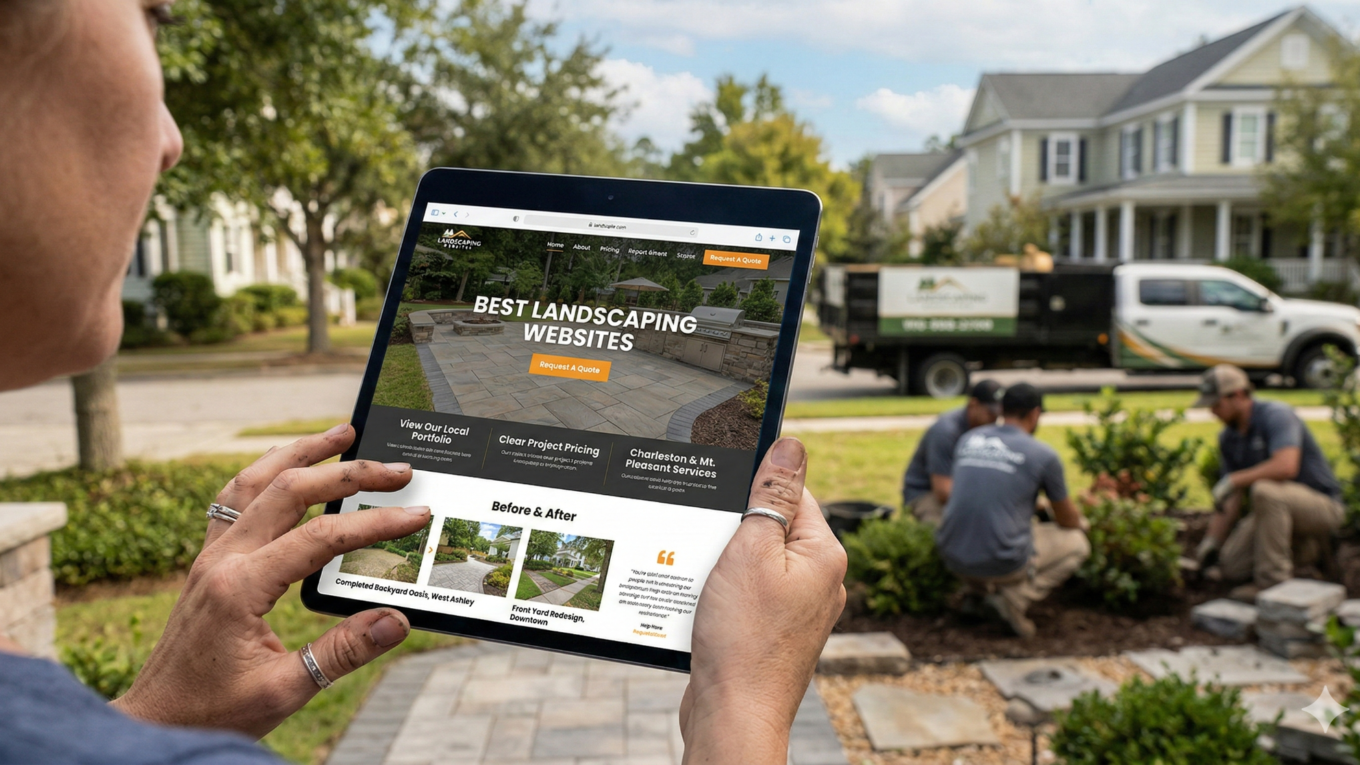
Most template sites fail here. They give you a generic “Portfolio” page with twelve photos in a grid, no captions, no context. What converts is showing 8–10 projects with a short description under each one: “Backyard patio and fire pit, West Ashley, completed May 2023” or “Front yard redesign with native plants, downtown Charleston, $8,500.”
When someone in your service area sees a project near them, the mental shift is immediate—they work here, they’ve done this before, I’m not their first rodeo.
If you’re rebuilding and don’t have great photos yet, pull your phone out on the next three jobs and shoot before/after sequences.
Block 3: Client Testimonials with Names and Neighborhoods
I used to think reviews belonged on Google and testimonials were just filler. Then I watched a consultation turn into a signed contract because the homeowner saw a quote on our site from someone on her street. She’d driven past that yard. She knew the work was real.
You don’t need twenty testimonials. You need five good ones—specific, tied to a project type, ideally with a photo of the client standing in their finished space.
“They were professional and on time” is fine for Google. “They rebuilt our entire backyard in two weeks and handled a drainage issue we didn’t even know we had” is what closes deals.
Block 4: Service Area Spelled Out with a Map or List
This sounds basic, but I’ve lost count of how many landscaper sites I’ve reviewed where you have to dig through blog posts to figure out if they’ll drive to your town. Put it in the footer. Put it on the services page. If you cover a 30-mile radius, say so. If you focus on three counties, list them.
The worst thing you can do is make someone guess, because they won’t—they’ll just call someone else.
Block 5: Contact Form That Asks the Right Questions Upfront
A generic “Name, Email, Message” form is a missed opportunity. Add fields for property size, project type, and preferred timeline. This filters out tire-kickers who aren’t serious and gives you enough context to send a useful response instead of “Thanks, we’ll be in touch.”
I’ve watched our quote-request rate double since we switched to a form that asks what they’re trying to accomplish and when they want to start.
The Trust Signals That Separate You from the Truck-and-Trailer Guys
| Trust Signal | Why It Matters | Where to Put It |
|---|---|---|
| Licenses & Certifications | Proves you’re not a cash-only side hustle | Homepage footer, About page |
| Insurance Coverage | Answers the unspoken “what if” questions | Services page, footer |
| Industry Affiliations | Shows you’re connected to professional standards | About page, credentials section |
| Years in Business | Demonstrates staying power | Homepage hero, About page |
Homeowners are scanning for proof you’re legitimate. That means your site needs visible markers of credibility—certifications, insurance, and any industry affiliations that show you’re not running a cash-only side hustle.
If you’re licensed or certified (pesticide applicator, irrigation contractor, landscape architect), put the logos on your homepage and link to your license number if your state has a public lookup. If you carry general liability and workers’ comp, say so on your About page.
One of the best landscaping websites I’ve studied recently does this well—they dedicate a small section of their footer to insurance and certifications, with a single sentence: “Fully insured, licensed in South Carolina, certified by the National Association of Landscape Professionals.” It takes up four lines and eliminates a week’s worth of back-and-forth emails with nervous homeowners.
What to Actually Put on Each Page (Without Overthinking It)
The biggest mistake I see in YouTube comments is landscapers treating their website like a creative writing project.
You don’t need clever headlines. You need clarity.
Homepage: The 10-Second Sell
Your homepage has one job—make it obvious what you do, where you do it, and how to take the next step. I structure ours like this:
- Hero section with one sentence (“Custom landscaping and hardscaping for Charleston-area homeowners”)
- 3-photo gallery showing our range
- Short “Why choose us” block with three bullets (15 years in business, licensed and insured, free estimates)
- Contact form above the fold
That’s it. No mission statements. No founder bios in paragraph three.
Services Pages: Depth Over Breadth
Each service gets its own page with 400–600 words covering what’s included, what problems it solves, and what the process looks like. For our hardscaping page, I broke it into subsections: Patios and Walkways, Retaining Walls, Outdoor Kitchens. Under each one, I listed materials we work with (pavers, natural stone, concrete) and included 2–3 project examples with costs.
The goal is to let someone self-qualify before they call.
About Page: Proof You’re Real
This is where you put a photo of yourself and your crew, a two-paragraph story about how you got into the business, and a list of the neighborhoods or towns you’ve worked in. Homeowners want to know you’re local, you’ve been around, and you’re not going to vanish after the deposit clears.
I also use this page to explain our process—how estimates work, what communication looks like during a project, and what happens if weather delays the schedule.
Contact Page: Make It Frictionless
Phone number in large text at the top. Contact form with the fields I mentioned earlier. A sentence about response time (“We respond to all quote requests within 24 hours”). If you have a physical office or yard, include the address.
I’ve also started adding a line about the best times to call, because I got tired of missing homeowners who’d ring at 7 a.m. when we were loading trucks.
The Local SEO Moves That Actually Matter

I’m not going to pretend I’m an SEO expert. But I’ve learned enough in the last year to know which tactics move the needle and which ones are designer upsell bait.
What Works (Do These First)
- Put your city and service towns in your page titles, headers, and service descriptions
- Create a dedicated page for each major service area if you cover multiple towns (we have separate pages for Charleston, Mount Pleasant, and Summerville)
- Get your Google Business Profile dialed in with accurate hours, categories, and weekly photo uploads
- Ask happy clients to leave Google reviews with a direct link in your follow-up email
What Doesn’t Work (Stop Wasting Time)
- Obsessing over blog content when you don’t have time to write
- Paying for backlink packages from directories nobody uses
- Worrying about site speed scores when your real problem is that your homepage doesn’t say what you do
Market projections show landscaping is growing toward $484 billion globally by 2030, which means competition is only getting stiffer. But that growth also means homeowners are actively looking for pros who can handle bigger projects—and they’re starting that search online, usually on mobile, usually while sitting in their backyard trying to figure out if their vision is even possible.
Your job is to be the site that loads fast, shows relevant work, and makes it easy to ask for a quote. If you do that, you’ll win more of those searches than the competitor with the prettier logo and the slower site.
DIY vs. Agency: What I’d Do Differently Now
When I rebuilt our site in 2019, I went with a cheap template because I didn’t know what I didn’t know. I thought “website” was a checkbox—get one, move on.
What I’ve learned since is that the platform and the partnership matter more than the design.
If you’re comfortable with tech and have time to learn: WordPress with a solid theme (I’ve heard good things about Divi and Astra) will get you 80% of the way there for under $500. You’ll need to buy hosting, install the theme, and spend a weekend watching YouTube tutorials, but you’ll own the site and be able to edit it yourself.
If you’re like me—decent with a computer but zero patience for troubleshooting plugins at 9 p.m.: Hiring a small agency or freelancer who specializes in trades is worth it. The key is finding someone who asks about your services, your service area, and your ideal client before they talk about color schemes.
I’m working with a two-person team now who built our site on WordPress, trained me to update photos and text, and check in quarterly to make sure nothing’s broken. We pay $150/month for hosting and maintenance, which includes backups and security updates.
The mistake I see in Facebook groups is landscapers signing up for $200/month website builders that look great in the demo but don’t let you add service pages without upgrading to the $400 tier.
Read the fine print. Make sure you can export your content if you leave.
What to Do This Week (Even If You’re Slammed)
You don’t need to rebuild your entire site this month. You need to fix the three things that are costing you calls right now.
Three Quick Wins
Win #1: Add a Services Page
List what you do, where you do it, and what it costs to get started. Even rough ranges help (“Paver patios typically start at $8,000 for a 12×12 space”).
Win #2: Upload 6–8 Project Photos with Captions
Location, project type, rough cost or timeline. If you don’t have professional shots, phone photos are fine—just make sure they’re high-res and show the full transformation.
Win #3: Add a Contact Form That Asks for Project Type and Timeline
This filters out the “just curious” emails and gives you enough info to send a useful response instead of playing phone tag for a week.
If you do those three things, you’ll see a difference in the quality of inquiries within a month. I’m not saying you’ll double your leads overnight, but you’ll stop losing the ones you’re already earning through referrals and truck wraps.
The landscaping industry is only getting more competitive, and homeowners are doing more research before they ever pick up the phone. Your website isn’t a luxury anymore—it’s the first job you do for every potential client, and it’s the one that determines whether they call you or the next name on the list.